This article is part of Rootstock’s series “Building DeFi on Bitcoin” exploring different solutions and integrations on the Rootstock blockchain that enable scaling Bitcoin, bringing DeFi capabilities to the world’s first blockchain.
Symbiosis Finance, a cross-chain liquidity aggregation protocol, recently announced the integration of Rootstock, bringing a new easy way to obtain RBTC and other Rootstock ecosystem tokens.
In this guide, we explore step by step how to bridge to Rootstock and swap Rootstock ecosystem tokens using the Symbiosis Finance application.
Step-by-step guide to bridging Rootstock
1. Go to app.symbiosis.finance/swap.
2. Connect your wallet to Symbiosis and choose the wallet you want to use.
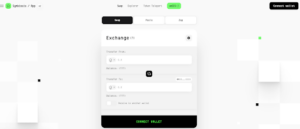
3. Start by clicking on “Transfer From” to select the network that you want to exchange your token from.
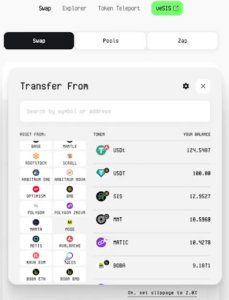
Note: if your token is not listed, you can manually add the token smart contract.
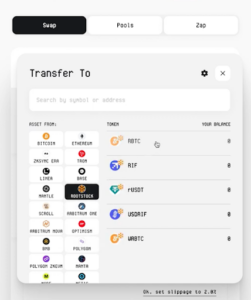
4. Select the destination network to be “Rootstock” and choose the token you want to receive.
5. If the network you’re sending from is different from the one you’re transferring to, you need to click on “Switch Network Button”
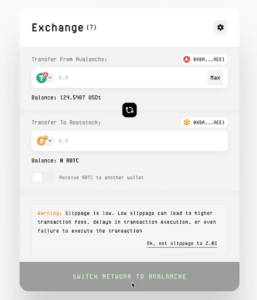
6. Make sure to double-check the address for accuracy, and then click on “Receive token to another wallet”.
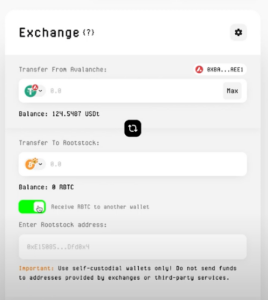
7. Enter the amount you want to exchange and within seconds you should see the route that your token will take to be received in your wallet, the exchange rate, and the transfer fees.
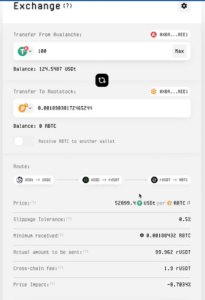
8. Confirm the tokens in your wallet
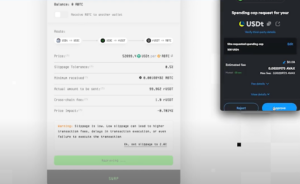
9. Click on “Swap” and confirm the transaction in your wallet again
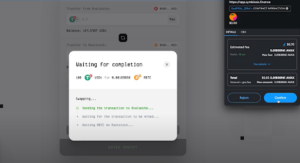
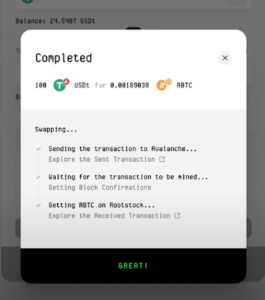
10. Once you receive your “done” message, you can check the balance in your wallet in a few seconds to see the transfer.
Watch this video for a walkthrough of the app.
About Symbiosis
Symbiosis is a cross-chain AMM DEX that pools together liquidity from different networks: L1s and L2s, EVM and non-EVM. With Symbiosis, you can easily swap any token and move your assets across different networks.